In one sentence
Stixiva is an online cross-stitch studio that turns a photo into an editable chart, with DMC, Anchor, Madeira or Sullivans floss, all the way to a PDF pattern ready to stitch.
Press · media kit
Logos, studio screenshots, key figures and ready-to-use descriptions: everything you need for an article, a video, a podcast or a newsletter about Stixiva.
At a glance
The essentials to check before you publish, all in one place.
These figures are checked automatically against the studio’s code every time the site is updated.
Description
Use them as they are or adapt them: they only describe what the studio does today.
Stixiva is an online cross-stitch studio that turns a photo into an editable chart, with DMC, Anchor, Madeira or Sullivans floss, all the way to a PDF pattern ready to stitch.
Stixiva is a digital cross-stitch studio. You drop in a photo, choose the size of the piece and its floss from DMC, Anchor, Madeira and Sullivans, then Stixiva builds a chart you can freely edit: isolated stitches, palette, text, layers. The project ends as a PDF pattern, to print or follow on a tablet. Stixiva runs in the browser and on Windows, free during its public beta.
Stixiva is a digital cross-stitch studio, designed to go from a picture that matters to a chart that’s a pleasure to stitch. You crop a photo, choose the size of the piece in stitches or inches and 2 to 64 colors, then Stixiva builds a chart with DMC, Anchor, Madeira or Sullivans floss numbers. The conversion runs on the device.
The chart stays fully editable: the studio finds isolated stitches that force a floss change for a single cross, offers 21 stitch types, beads, text and layers, and moves a whole project from one floss brand to another. An assistant also digitizes paper or PDF patterns you already own, and Stitch mode lets you check off stitches as you go, from one device to another.
The project ends as a PDF pattern (Letter, A4 or A3) with symbols and a floss key, and is saved as an .embx file. Stixiva runs in a recent browser or with the Windows app. During the public beta, the whole studio is free with an account, no credit card, and 44 free tools stay available on the site without an account.
The studio
Six features to show, from the starting photo to the last stitch.
Cropping, size in stitches or inches, choice of colors: the chart is computed on the device.
The studio finds isolated stitches; you choose which to merge and which shades to protect, with before and after side by side.
DMC, Anchor, Madeira and Sullivans, with their conversions: a whole project switches brands in one click.
A photo, scan or PDF page of a symbol chart: the assistant reads it square by square and turns it into an editable project.
On a tablet or phone, mark stitched squares and pick up where you left off, from one device to another.
Letter, A4 or A3, symbols and floss key; projects are saved as .embx files.
Brand
SVG for print and large sizes, transparent PNG for everything else. The word “stixiva” is outlined: no font to install.
Main logoOn a light background
White logoOn a dark background or a photo
SymbolAvatars, small sizes
App iconAs it appears on Windows
Brand
Light linen, a burgundy thread, a touch of gold. Tap a swatch to copy its code.
Headings and logo · Google Fonts, open OFL license
Site text · Google Fonts, open OFL license
Visuals
Screenshots of the studio as it is today. Each link opens the full-size file.
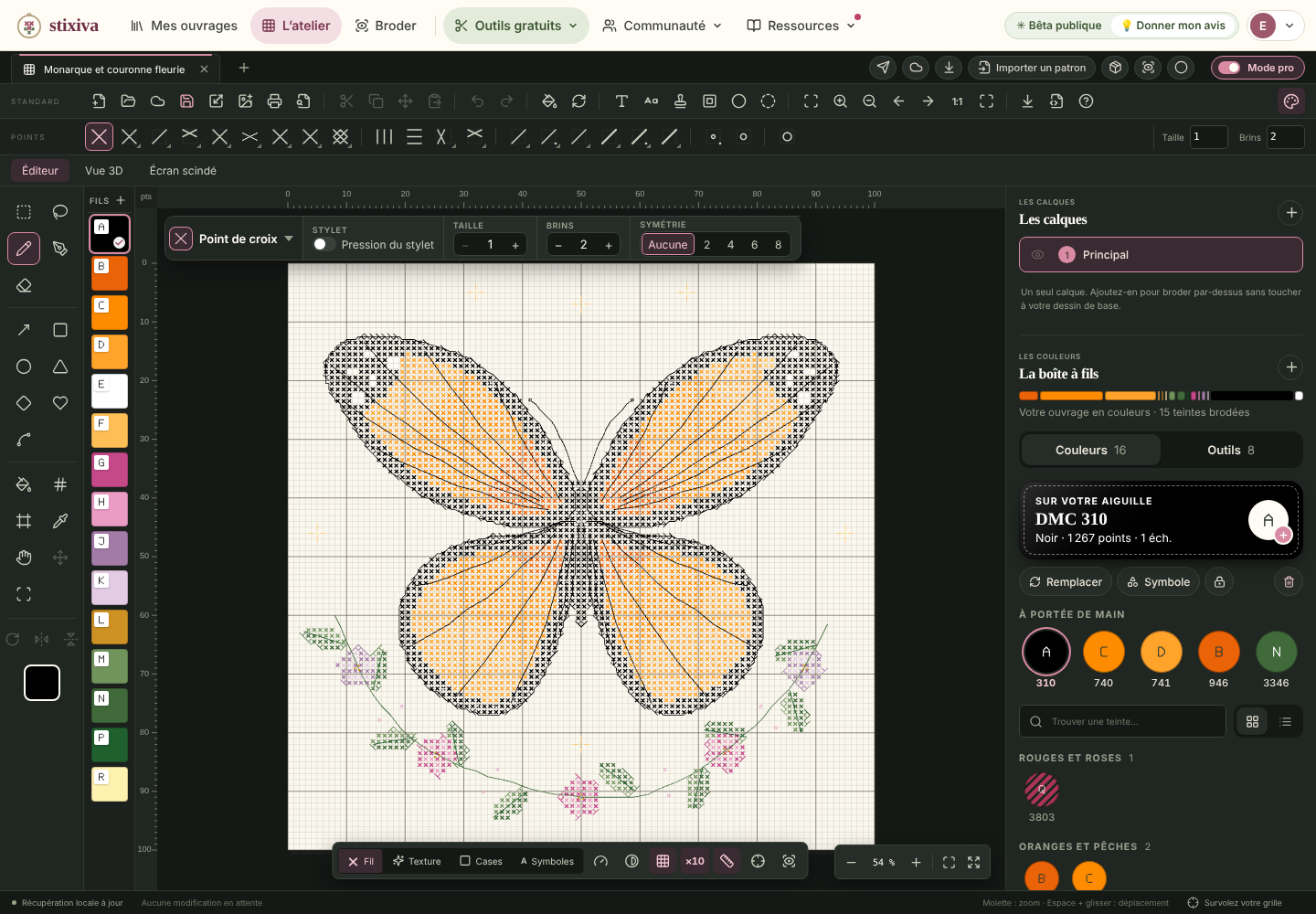
The studio in Pro mode: grid, options bar, tools and floss boxScreenshot · PNG 1440 × 1000
Download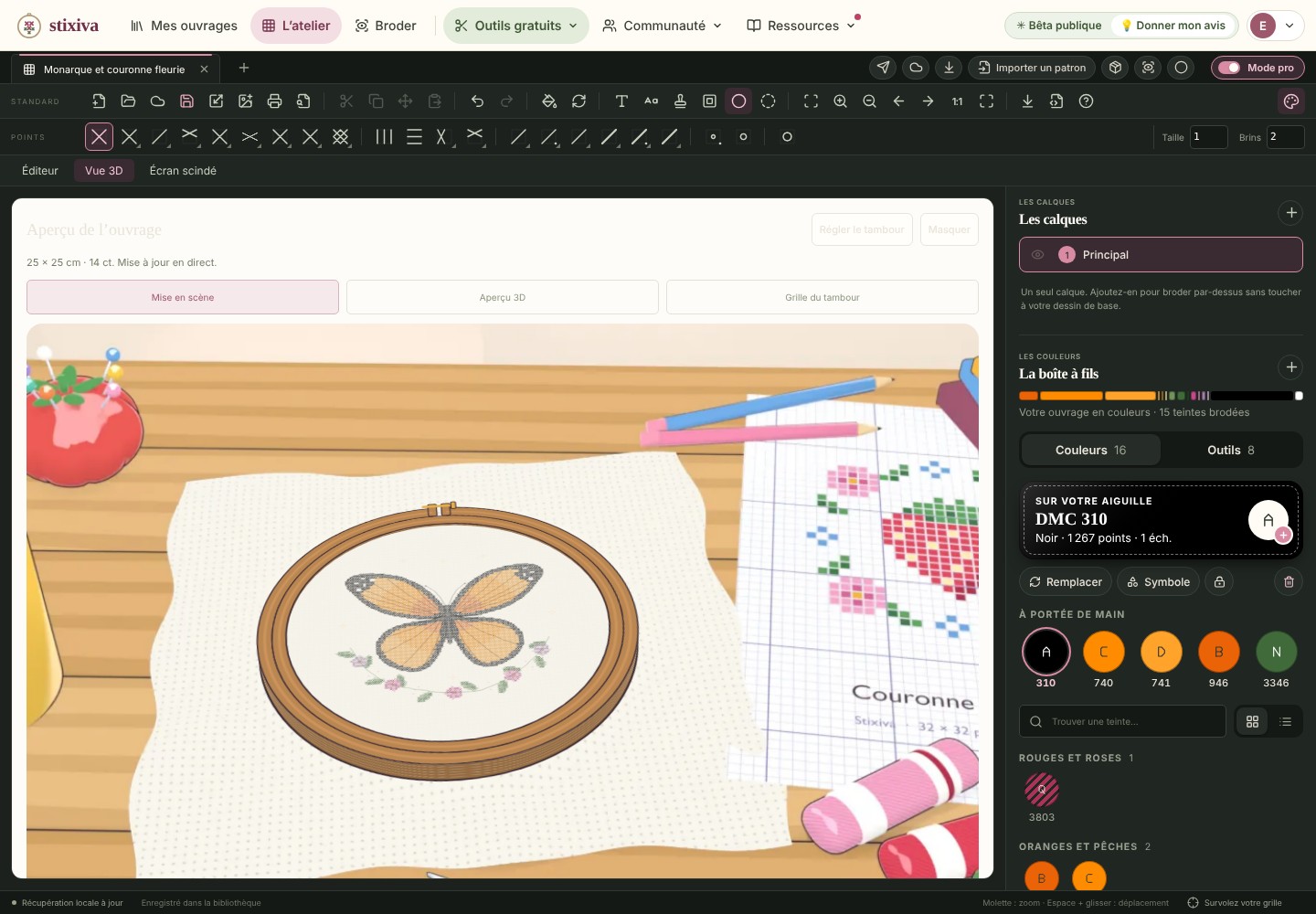
The 3D view: your pattern shown in its hoopScreenshot · JPEG 1440 × 1000
Download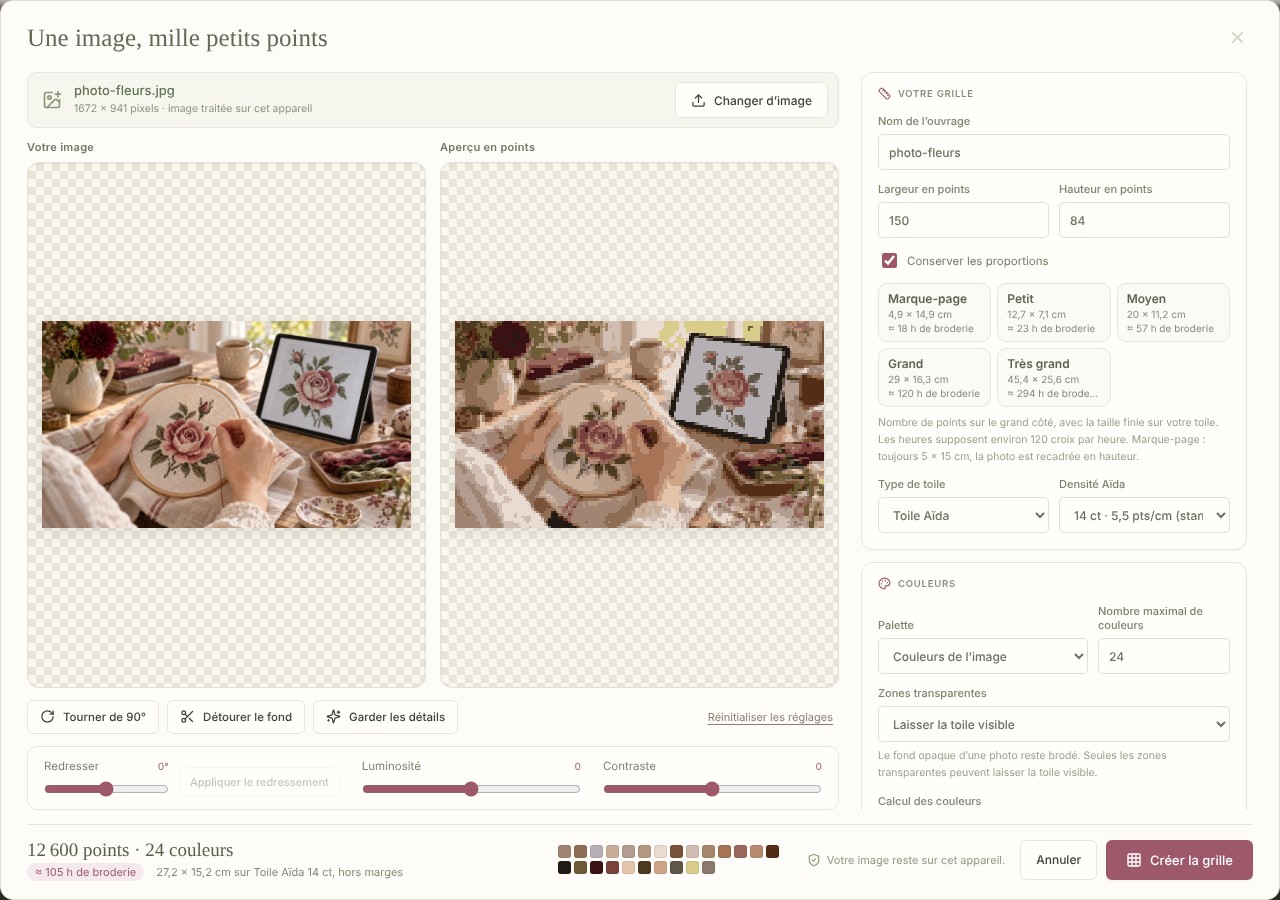
Image to pattern: a photo becomes a chart, adjusted liveScreenshot · JPEG 1280 × 900
Download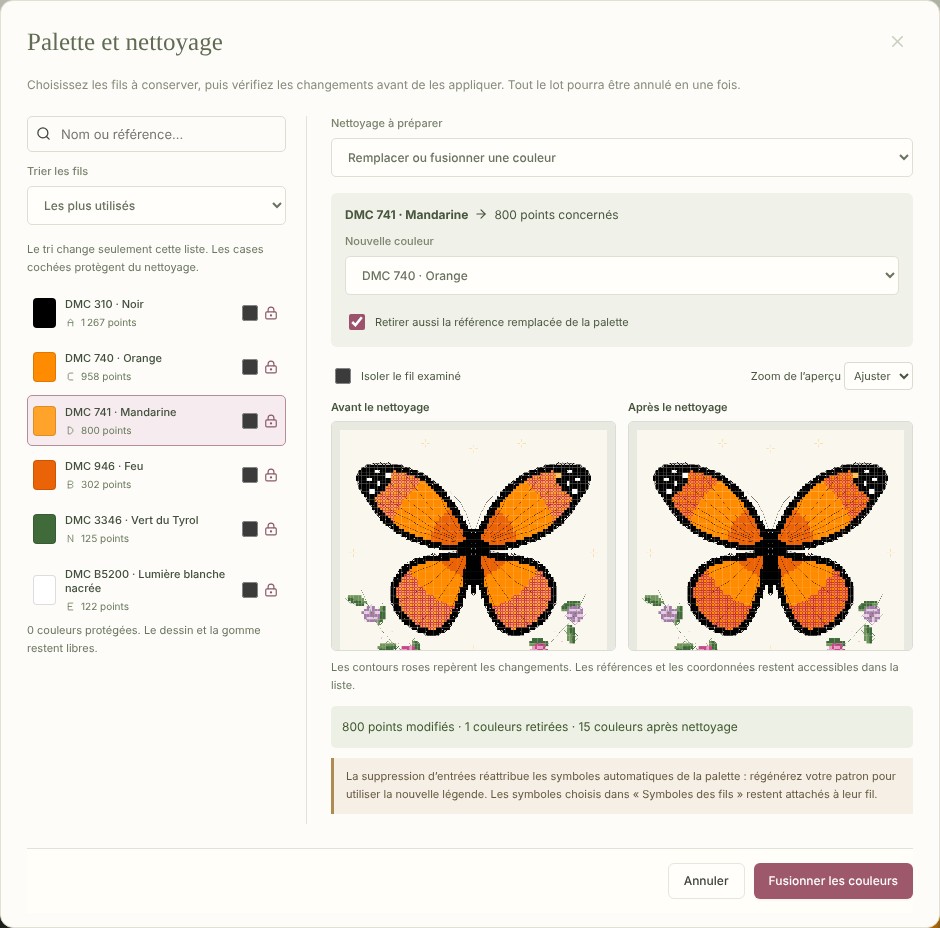
Palette and cleanup: before and after, thread by threadScreenshot · JPEG 940 × 928
Download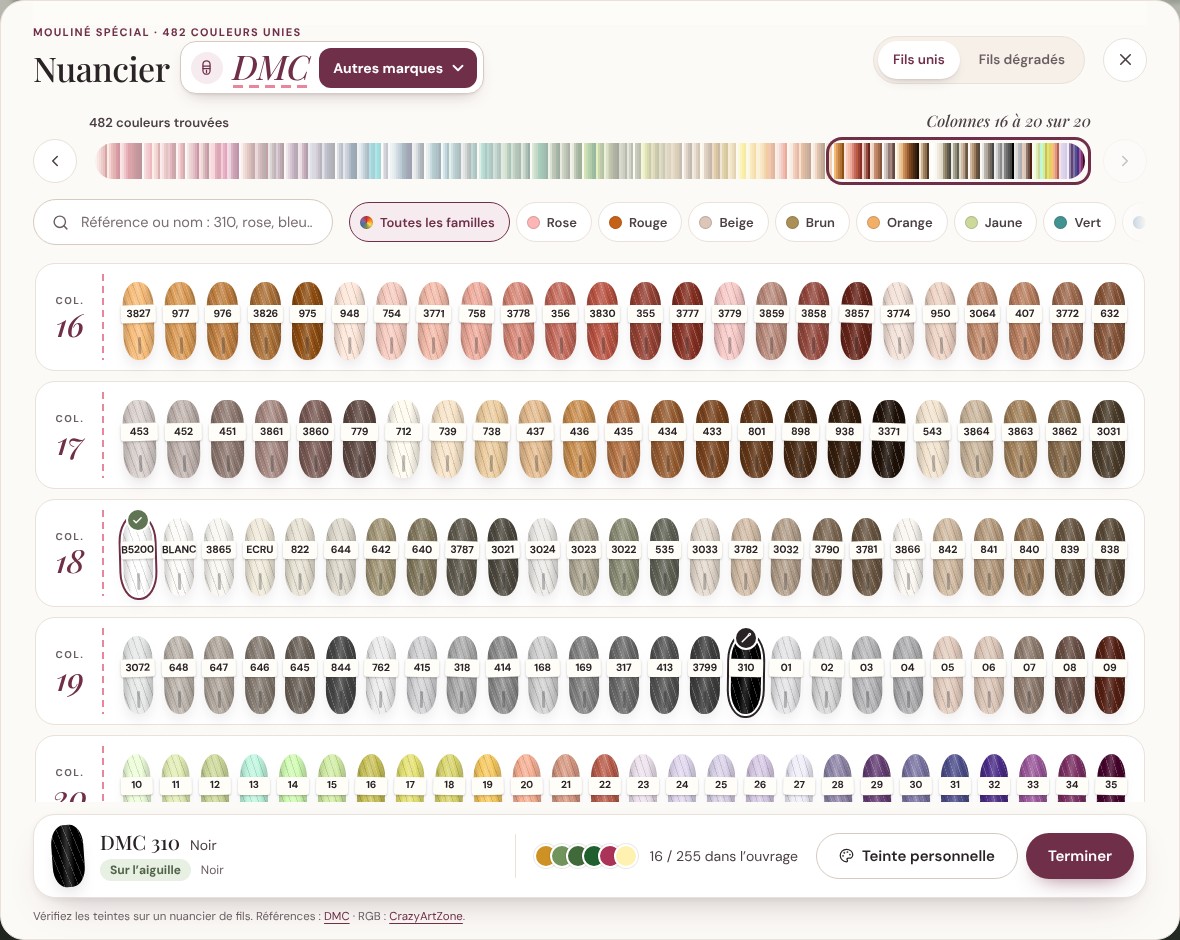
The DMC color chart, with search by number or nameScreenshot · JPEG 1180 × 940
DownloadCredit line: © Stixiva. Logos and visuals may be used freely in content about Stixiva.
Good to know
The questions we’re asked most often.
Yes, during the public beta: the whole studio is available with a free account, no credit card and no commitment. Everyone who signs up will get an email before the beta ends.
For the studio, yes, with an email address. The site’s free tools, like the cross stitch name generator or the color charts, work without an account.
Conversion happens on the device. A photo only leaves the device if the pattern containing it is saved to the account’s cloud space.
No. DMC®, Anchor®, Madeira® and Sullivans® are trademarks of their respective owners. Stixiva is not affiliated with any of them: the studio uses their color numbers to build a thread list.
In a recent browser on a computer, tablet or phone, and with the Windows 10 and 11 app (64-bit). The studio needs an internet connection; stitching mode keeps working offline once the studio has been opened on the device.
Press contact
Write to us with your outlet and your deadline.
contact@stixiva.com